

Release Notes - 21st of February 2025
This release has a raft of new features focused on hardening advanced refresh token use cases as well as expanding our conformance checks of TLS certificates.
Added: Automated refresh token refreshing
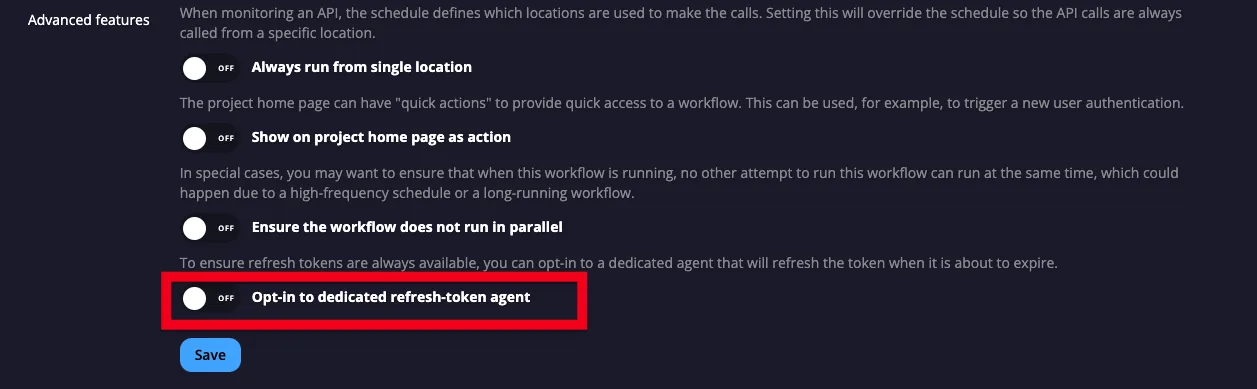
Automated refresh token refreshing is now available for existing and new workflows, ensuring valid refresh tokens are always available.
- To enable, choose Workflows from the left hand menu, then select the workflow you want to update. Select the Advanced button at the top of the page, turn ON the opt-in toggle, and click Save. Repeat for each workflow you want to update.
Improved: Refresh token queue prioritization
The back end system will now prioritize API calls with refresh tokens to minimize the time a valid refresh token can be used.
Improved: Refresh tokens used in multiple workflows
While we recommend using a separate refresh token for each workflow, this may not always be possible or desirable. When the same refresh token is used in multiple workflows, the system will now ensure the refresh token handling is synchronized.
Added: Payments NZ FAPI conformance checks
A new conformance check is available for the Payments NZ FAPI implementation requirements, as per the Payments NZ documentation.
Added: TLS certificate expiration conformance check
This new check reviews the TLS certificate on every API call, and flags a non-conformance if the certificate is nearing expiration.
- To enable, choose Conformance from the left hand menu, then select the Settings button at the top of the page. Scroll down to Manage Network Checks, click the checkbox to "Notify when TLS certificates are close to expiring," and choose a minimum period.
- Review results on the main Conformance page.