Project Dashboard
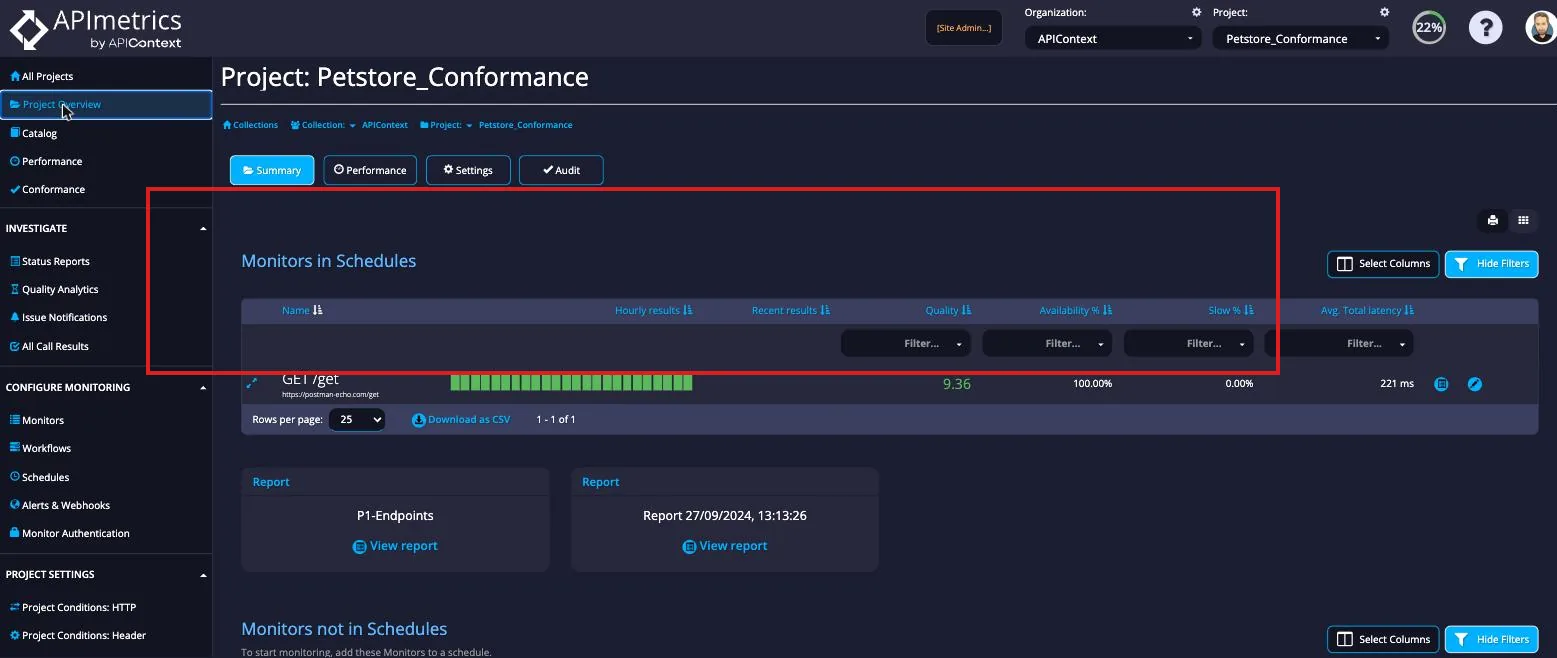
The Project Overview is your at-a-glance health dashboard for a project. It shows all monitors that have been added to a schedule alongside their key metrics for the current reporting period:
- Hourly results — a colour-coded bar chart of the last 24 hours (green = passing, red/yellow = failures or warnings). Click any bar to jump to results for that hour.
- Recent results — pass/fail indicators for the most recent individual runs.
- Quality score — the CASC quality score (0–10) for the monitor's latest Insights Report.
- Availability %, Slow %, and Avg. Total latency — aggregate SLA-style metrics for the period.
Clicking the monitor name opens its Edit view. The quick-action icons on the right let you jump directly to the Insights Report or Stats page for that monitor.
Monitors that have been created but not yet added to a schedule appear in the Monitors not in Schedules table below.