Working with Postman
To start working with Postman, you will need to generate a Postman API Key - this can be hard to find inside Postman and they have some tricky rules in place around how you can copy and use it. This functionality is subject to change and we will work our hardest to keep on top of the Postman UI.
Once a key is generated, you need to link Postman with your APImetrics project - this is achieved in the Import API menu in the left hand navigation.
Generating a Postman API Key
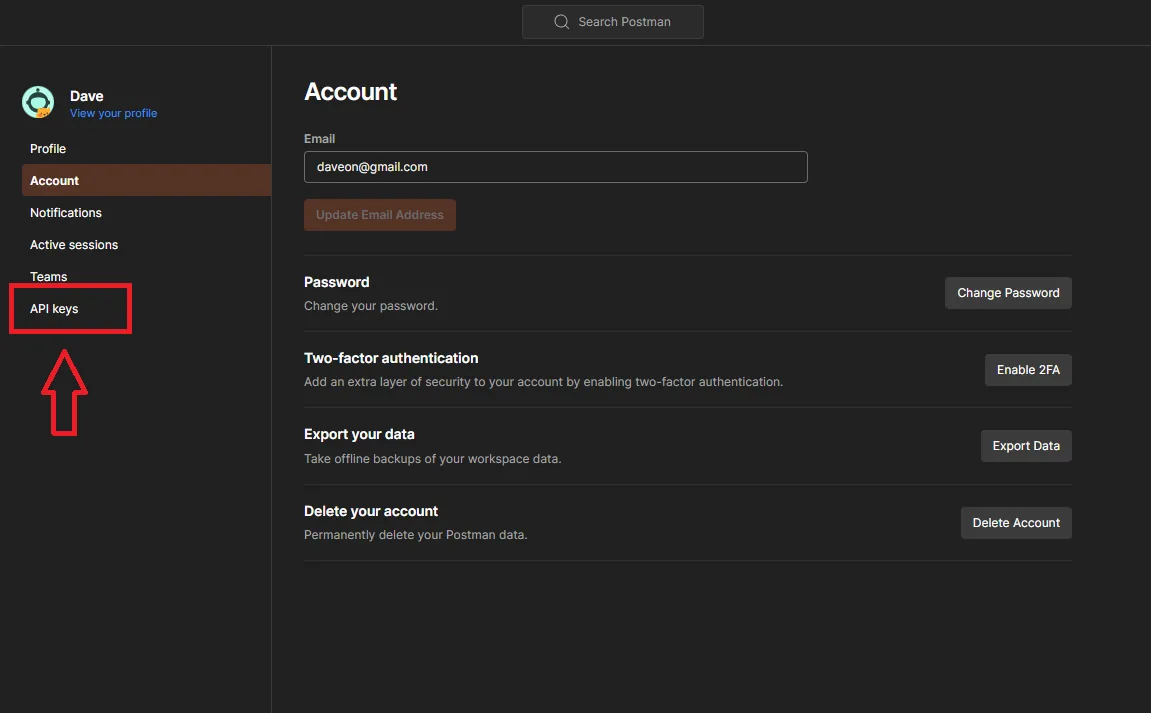
To generate your Postman API key you will need to find the 'settings' menu under the dropdown from your user name in the top right of the UX.

Select "API Keys"
In the next menu, select "generate API key"
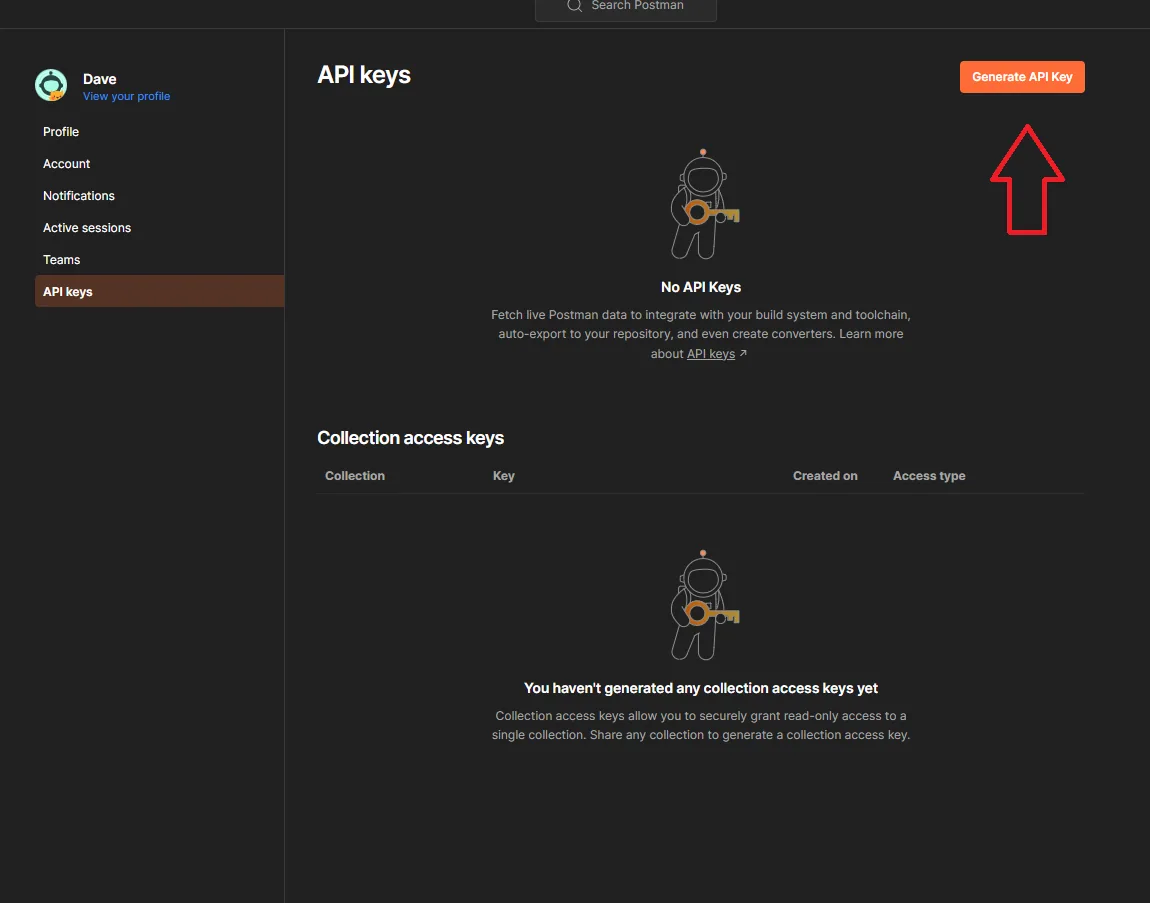
Once generated, you will need to copy this for use in APImetrics.
The API keys are stored in Postman in an encrypted format. If you want to reuse an API key you will need to click on the 3 dots and select 'regenerate key' then COPY that for use.
This will result in an import error.
Linking your APImetrics Project with Postman
Select "Import API" from the left hand navigation menu, click on 'Use Postman'
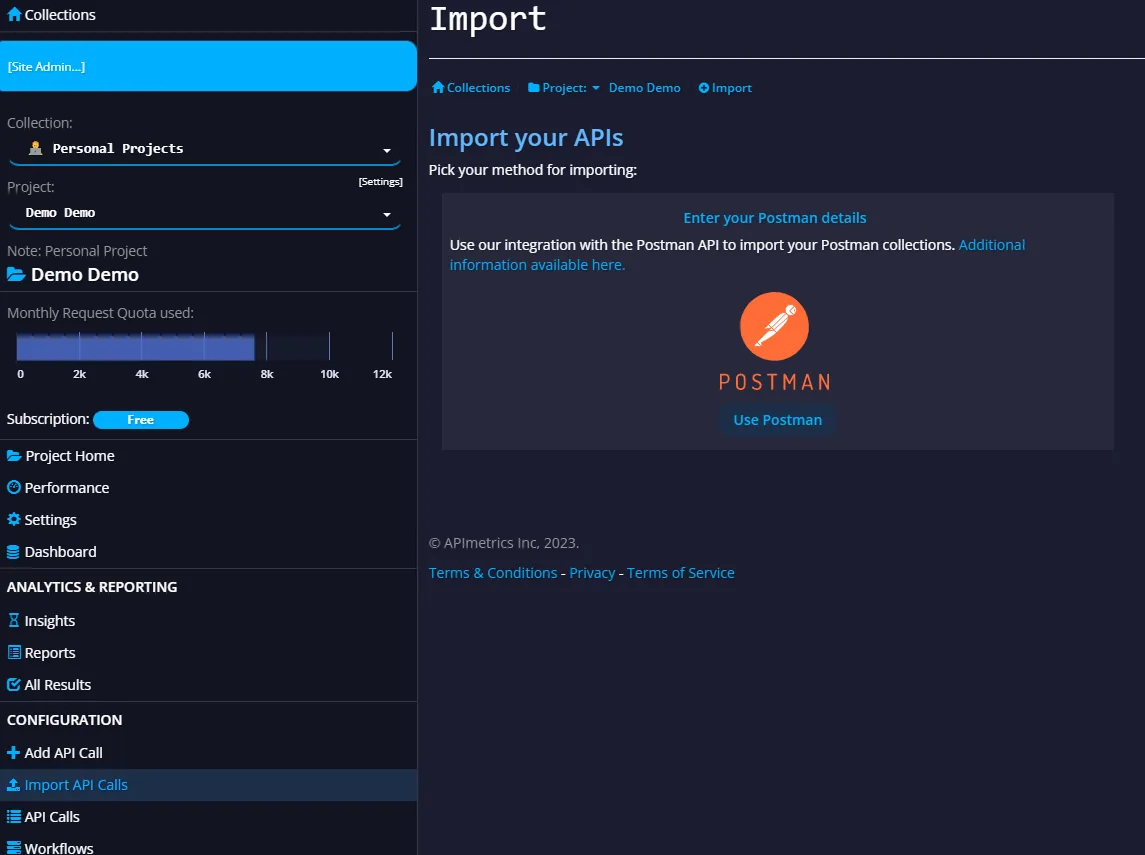
Copy and paste the API key into the box and click Validate.
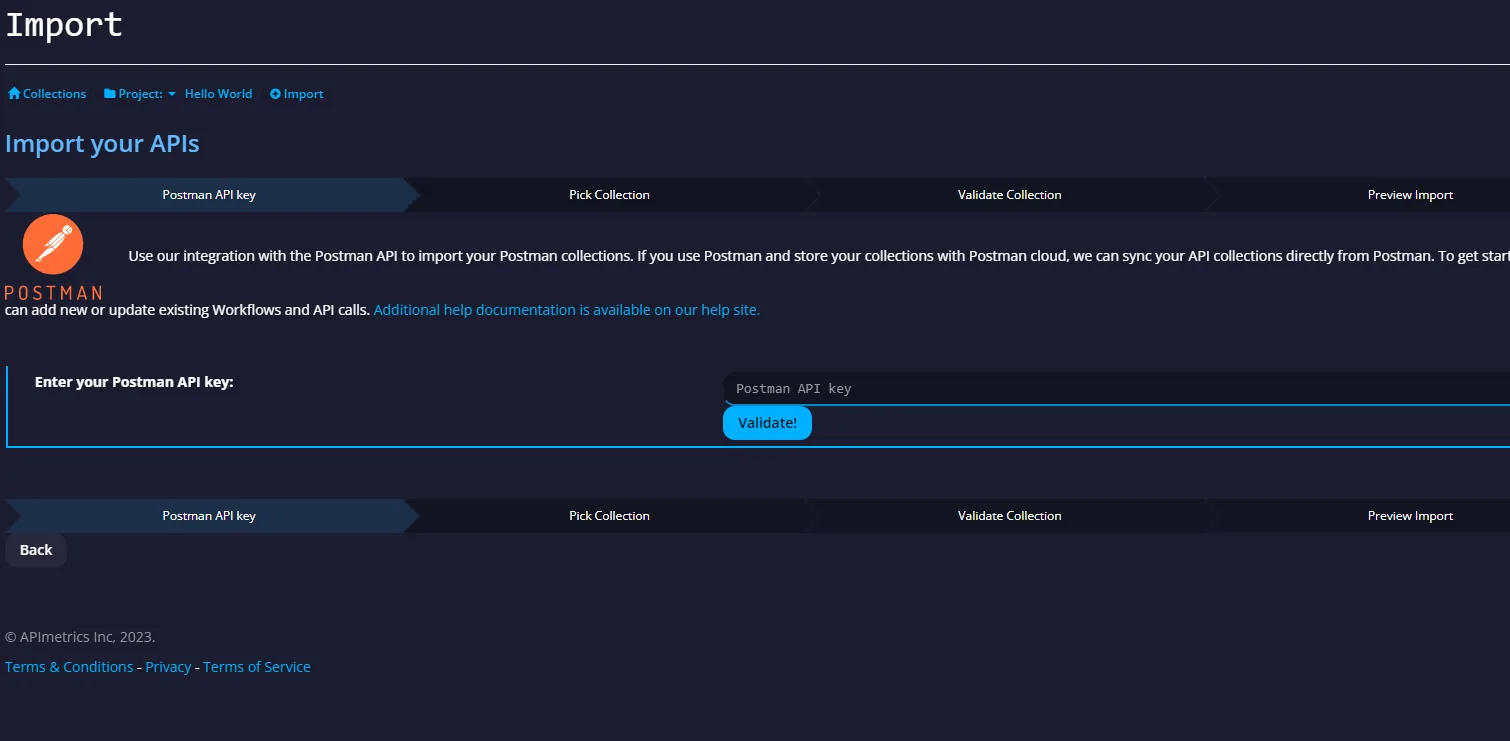
APImetrics will then sync your Postman collections.
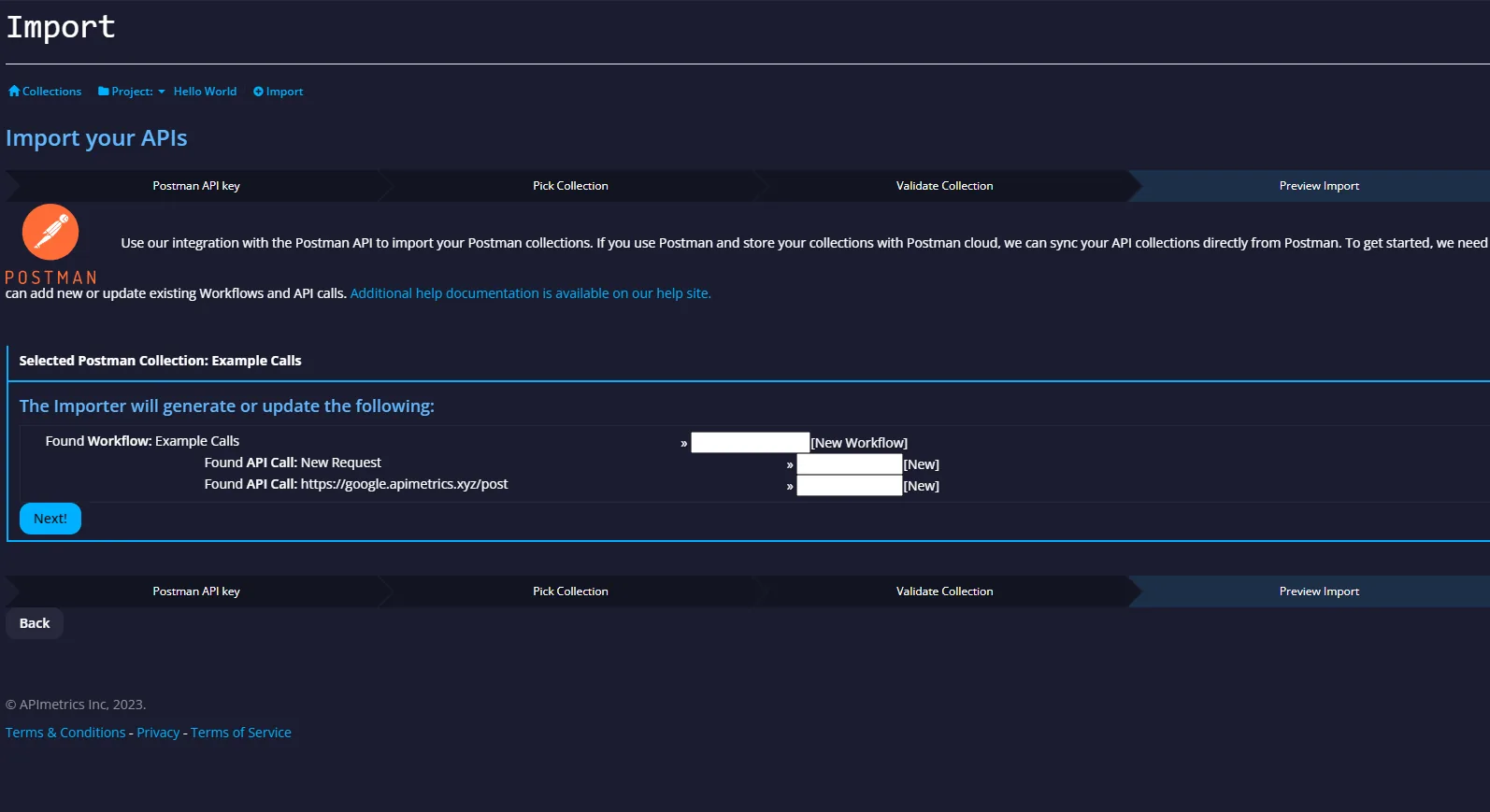
Importing monitors from Postman
To import a collection to run and manage in APImetrics you select the collection.
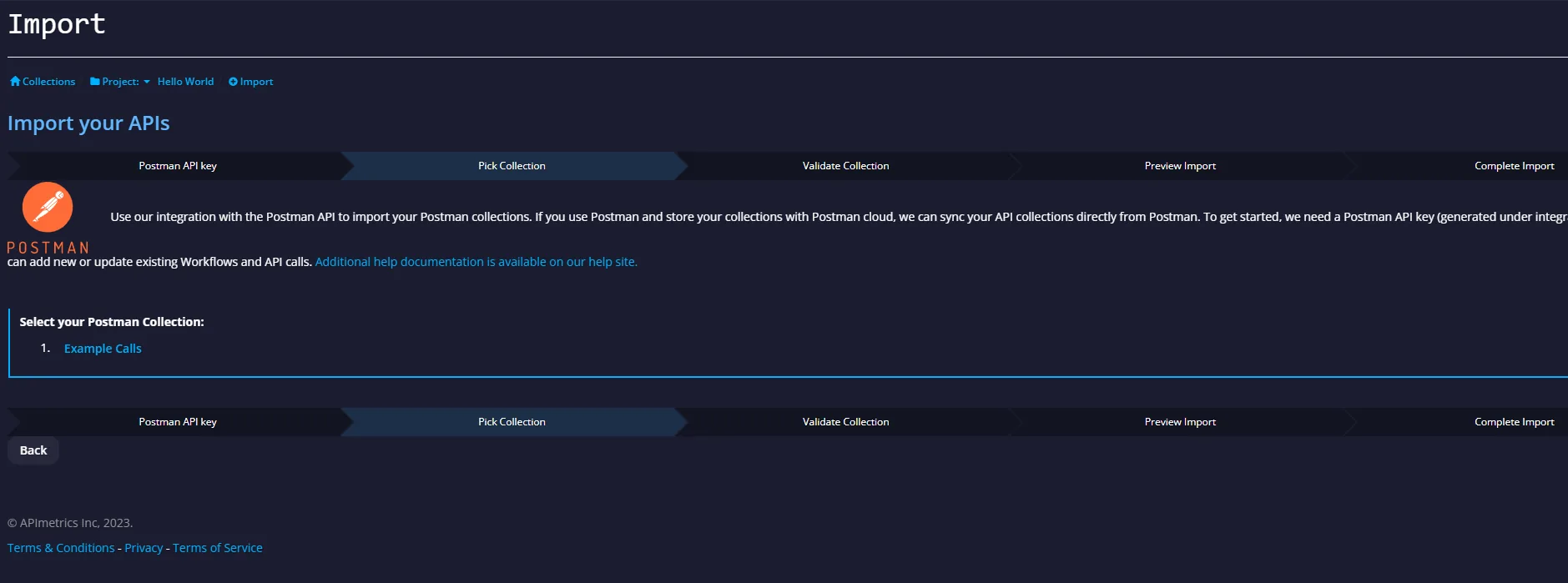
Our system will then import the calls into a workflow and give you the option to update existing calls that might already be in your project.