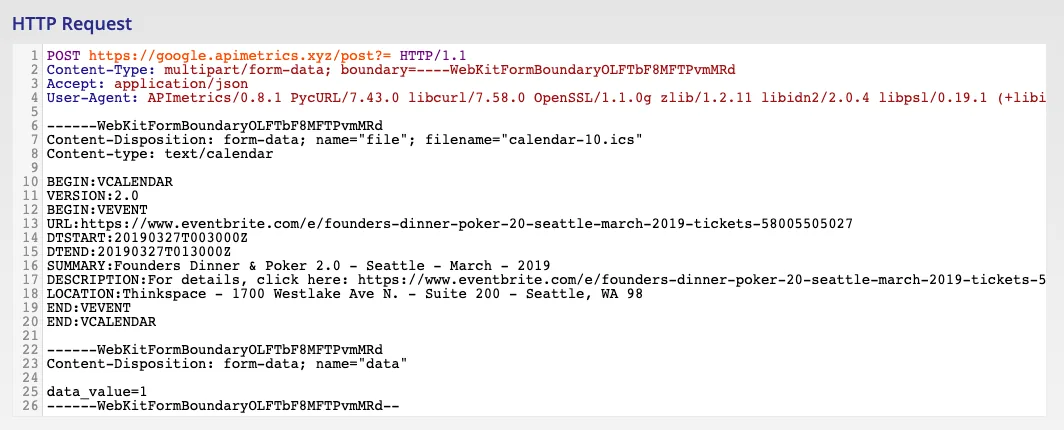
Multi-part form-data
If you wish your API to POST multi-part form data, you can create a file that encapsulated the full form data using our helper form.
First visit Files in the Advanced section of the sidebar
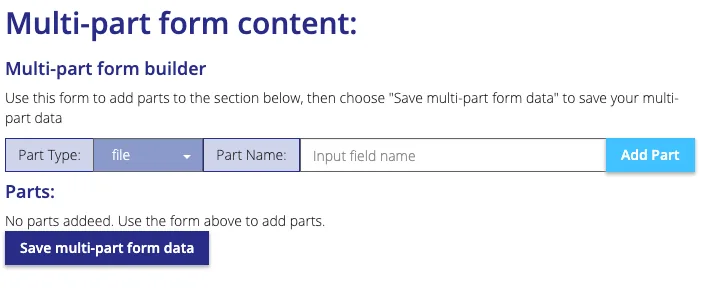
Choose the type of each part you want to add by using the Part Type picker:

The text option allows you to pass form data along with a file. Click "Add Part" to add the parts in the section below.
Once the parts have been added, add the data you require (either by using Choose file..) or by entering the data:

Now you are ready to save the file - Click "Save multi-part form data" to save the data. You can then edit a monitor to use this file data. Follow the steps on the Uploading Files page.