

Enable a standards profile
Use this guide to choose the standards profile that a project is checked against, then generate its first conformance results.
Prerequisites
For FAPI 2.0:
- A monitor (or workflow) that exercises the Authorization Code flow with DPoP, so the token and resource-server checks have traffic to evaluate.
- DPoP proof JWTs and
Authorizationheaders present on the monitored requests. - Requests classified correctly by stage; workflows are the easiest way to capture an end-to-end flow.
Steps
- Open Conformance Settings: in the left sidebar, select Conformance, then the Settings tab.
- In the Manage Standards Profiles section, select the profile you want:
- For FAPI 2.0, select FAPI 2.0.
- For UK Open Banking, select the profile that matches your client authentication: UK Open Banking (TLS Client Auth), UK Open Banking (Private Key JWT), UK Open Banking v4 (TLS Client Auth), or UK Open Banking v4 (Private Key JWT).
- Click Save.
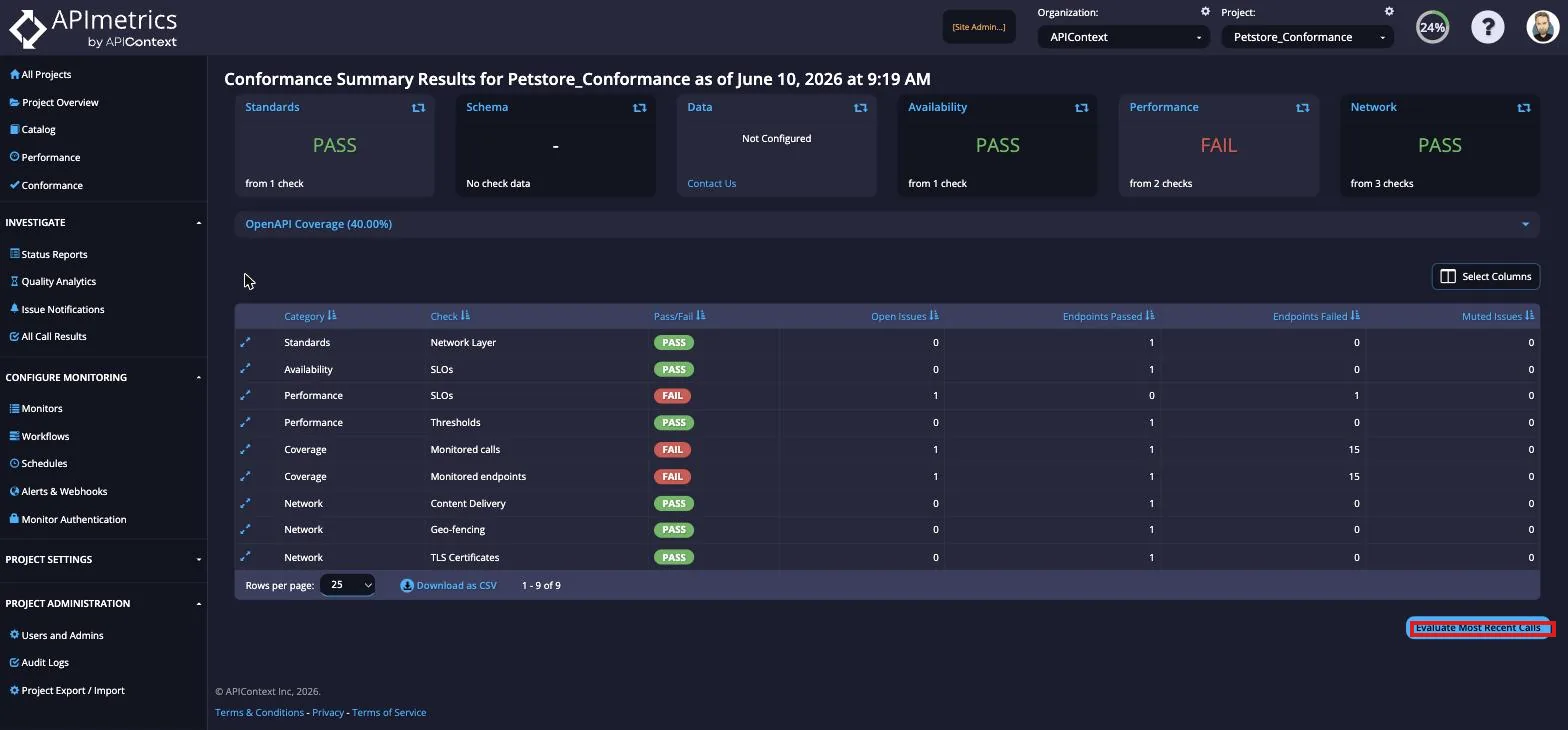
- Run your monitors (or select Evaluate Most Recent Calls on the Conformance Summary) to generate results.
You can run conformance checks on demand any time by selecting the Evaluate Most Recent Calls button at the bottom of the Conformance Summary page.
Result
Conformance results appear in INVESTIGATE → Conformance. For FAPI 2.0, each row corresponds to a checkpoint described on the FAPI 2.0 page and can be expanded to see the individual checks and the specification section they map to. For UK Open Banking, each check maps to a specific section of the Open Banking specification, which is linked in the result detail view. For triage workflow, see Issue Details.
Check the same monitors against another profile
A project has one standards profile. The selector in Manage Standards Profiles takes a single choice, so picking a different profile replaces the current one. To check the same monitors against another profile, use a second project. Copy the monitors into it, then choose the other profile in that project's Conformance Settings. Each project is checked against its own profile.
Next steps
- Security profiles: the standards that APIContext checks, and what each profile covers.
- FAPI 2.0: the checkpoints behind the FAPI 2.0 results.
- UK Open Banking conformance: what the UK Open Banking profile checks.
- Conformance overview: the Summary, Issue Details, and Settings screens.