Using Variables in Workflows
If you need to store a variable for use within a workflow, the most straightforward way to achieve this is to use Assertions as part of a Workflow.
The process is simple:
- Use Assertions to capture the value.
- Set an environment variable to the captured value.
- Use the environment variable in your monitors.
This could be used to set OAuth tokens for use in other calls where a workflow runs every few hours to set the token or refresh the token used in several calls.
Use Assertions to Capture the Values
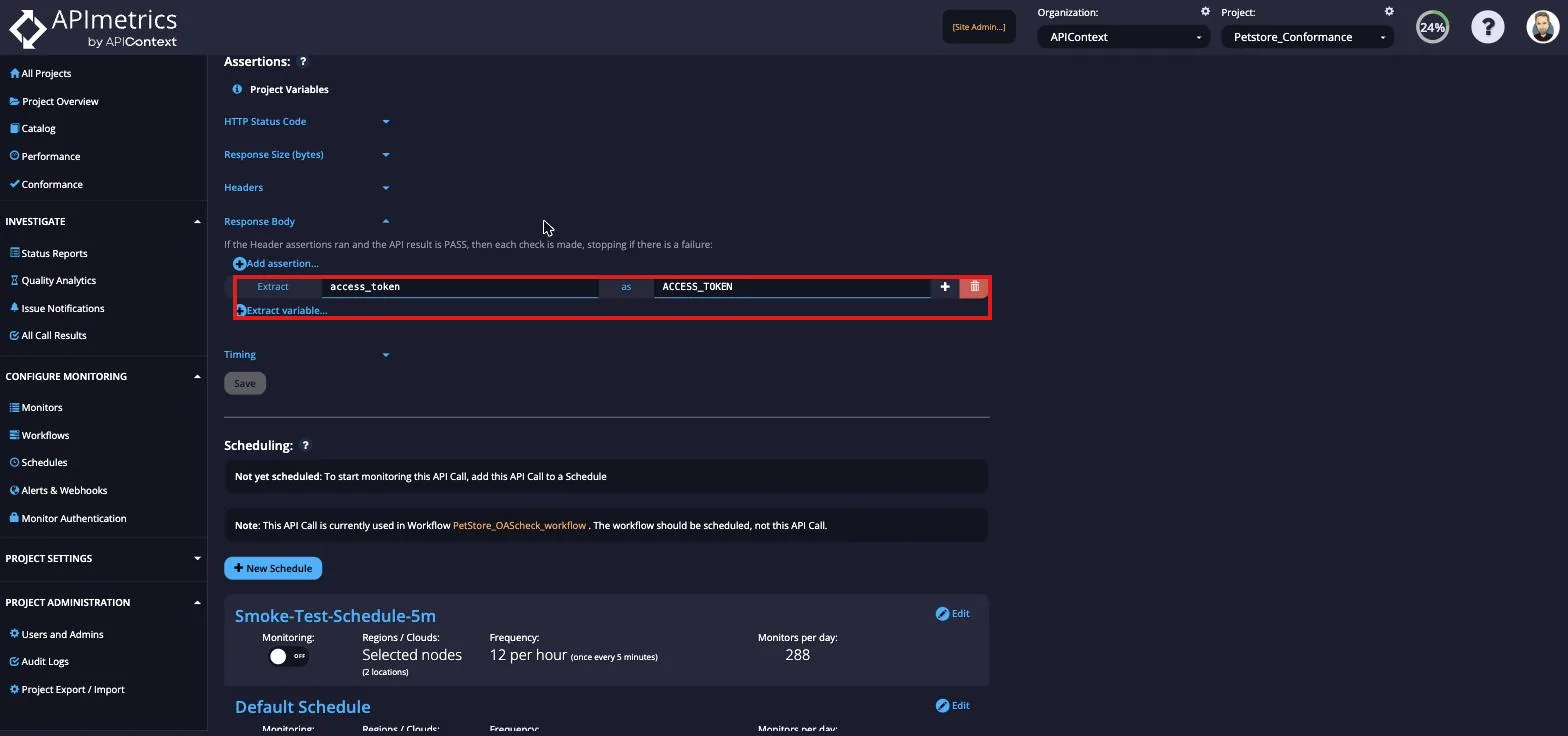
In the Assertions section of the Monitor Edit tab, you can extract variables from your JSON or XML content and save them to a variable. For more in-depth tutorials on these content types, follow the JSON parsing tutorial and the XML parsing tutorial.
Firstly, go to the monitor where you want to extract your variables. Scroll to the Assertions section in the Edit tab. From here you can put the JSON path of the variable you want and assign a name for the variable. Save these changes.
Set an Environment Variable to the Captured Value
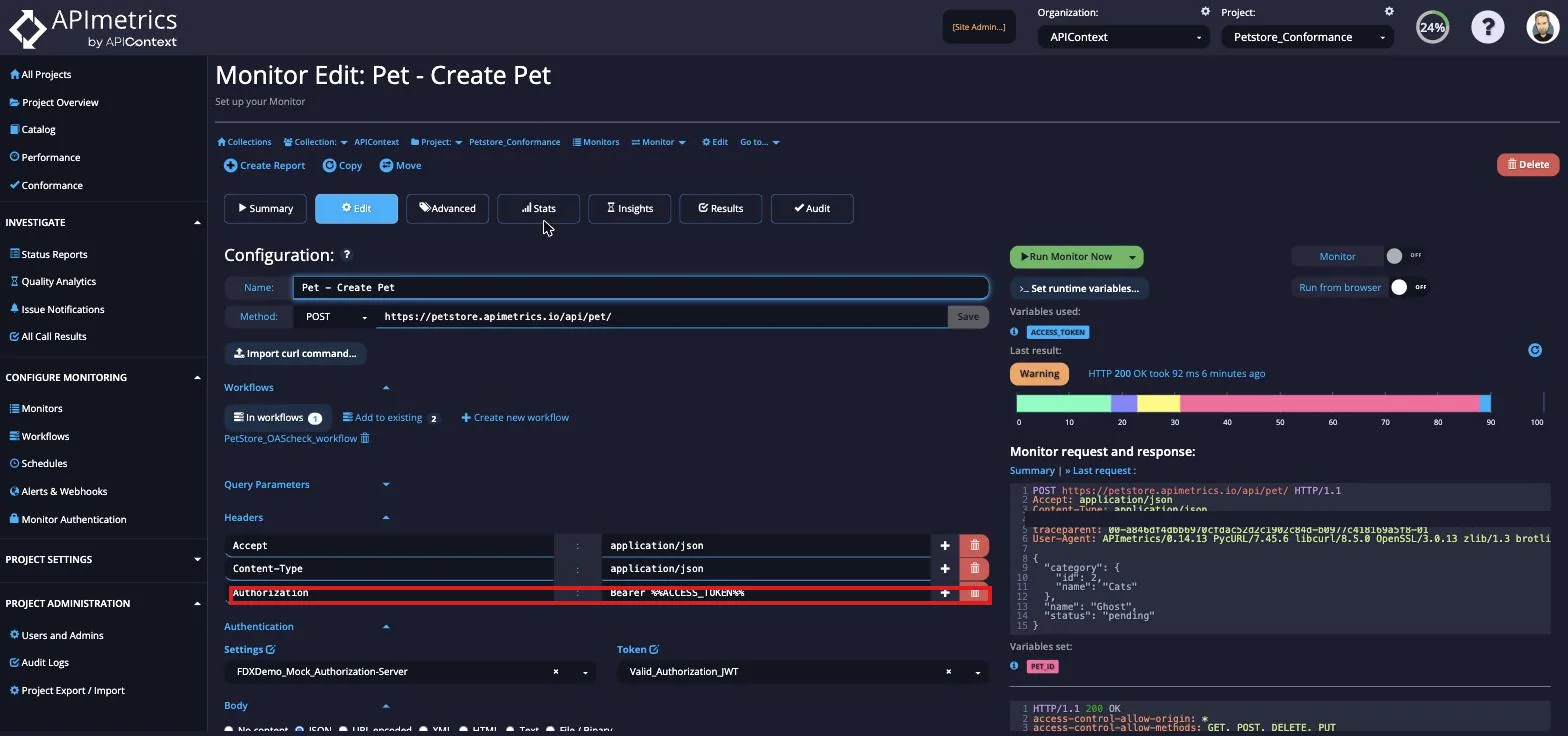
Next, create a new monitor or use an existing one to set the variable. This example sets the variable 'access_token' to the value set in the previous monitor.
Use the Environment Variable in your monitors
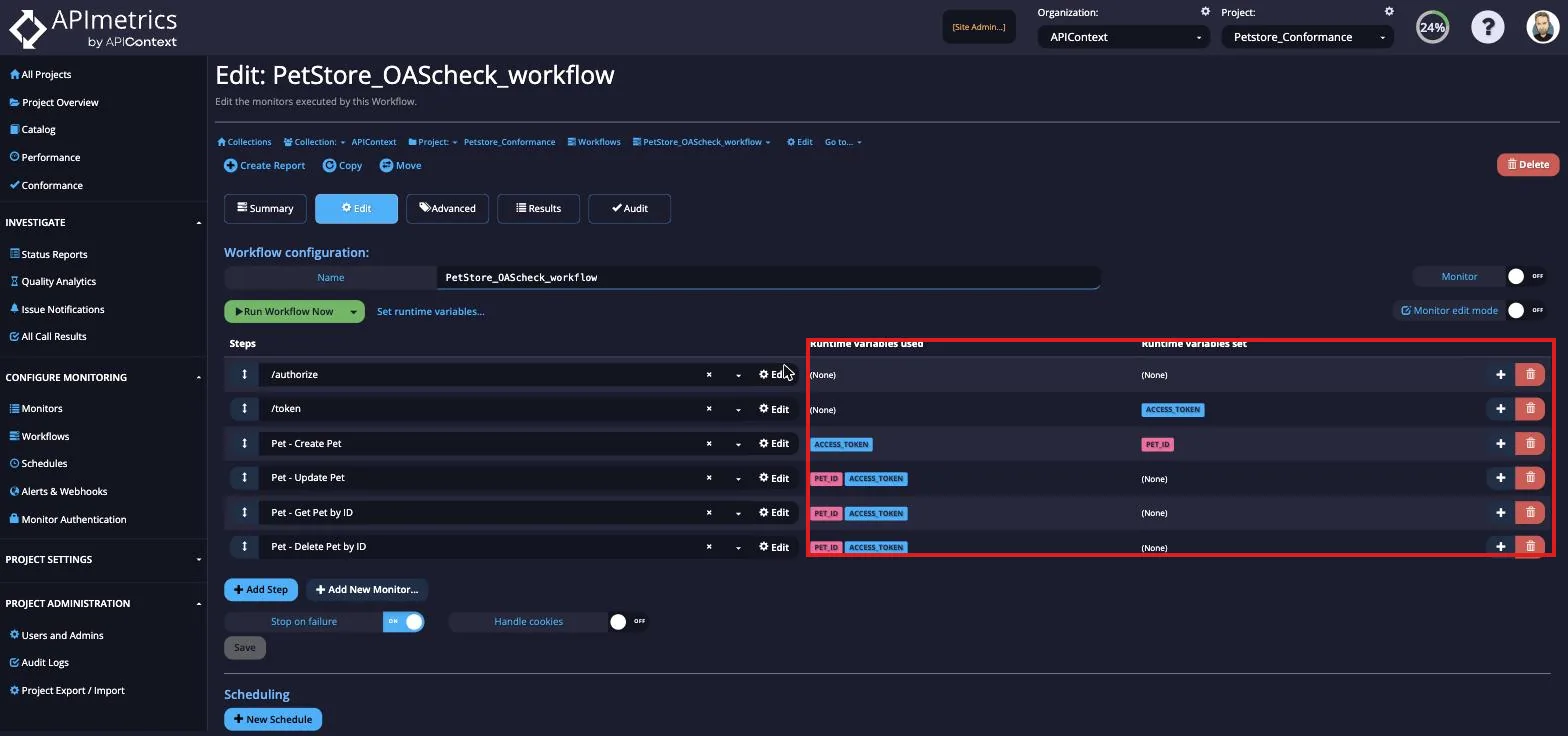
Now, you will be able to see the different variables passing between your monitors in your Workflow.