

Setting up performance SLOs/SLAs and thresholds
Key Concepts
You can set project-level Service Level Objectives (SLOs), which can also be used to track Service Level Agreements (SLAs). When a monitor sequence does not conform to the SLO thresholds you have defined, the system will trigger alerts; you'll also see violations in the reporting interface.
SLOs can be created based on the timing of the whole monitor, or based on the timing for a single component of the call. You can set SLOs and receive alerts based on the following metrics (individually or in combination):
- Overall availability rate (as a percent of all monitors run)
- Overall pass rate (as a percent of all monitors run)
- Overall slow rate (as a percent of all monitors run)
- Overall warning rate (as a percent of all monitors run)
- Overall fail rate (as a percent of all monitors run)
- Total latency (in milliseconds)
- DNS lookup time (in milliseconds)
- TCP connect time (in milliseconds)
- SSL handshake time (in milliseconds)
- Total network time (in milliseconds)
- Upload time (in milliseconds)
- Processing time (in milliseconds)
- Download time (in milliseconds)
- Overall server time (in milliseconds)
- CASC quality score (based on score range)
- Apdex score (based on score range)
To set or change SLO criteria, navigate to Conformance > Conformance Settings, then add, update, or delete individual SLO criteria from the list.
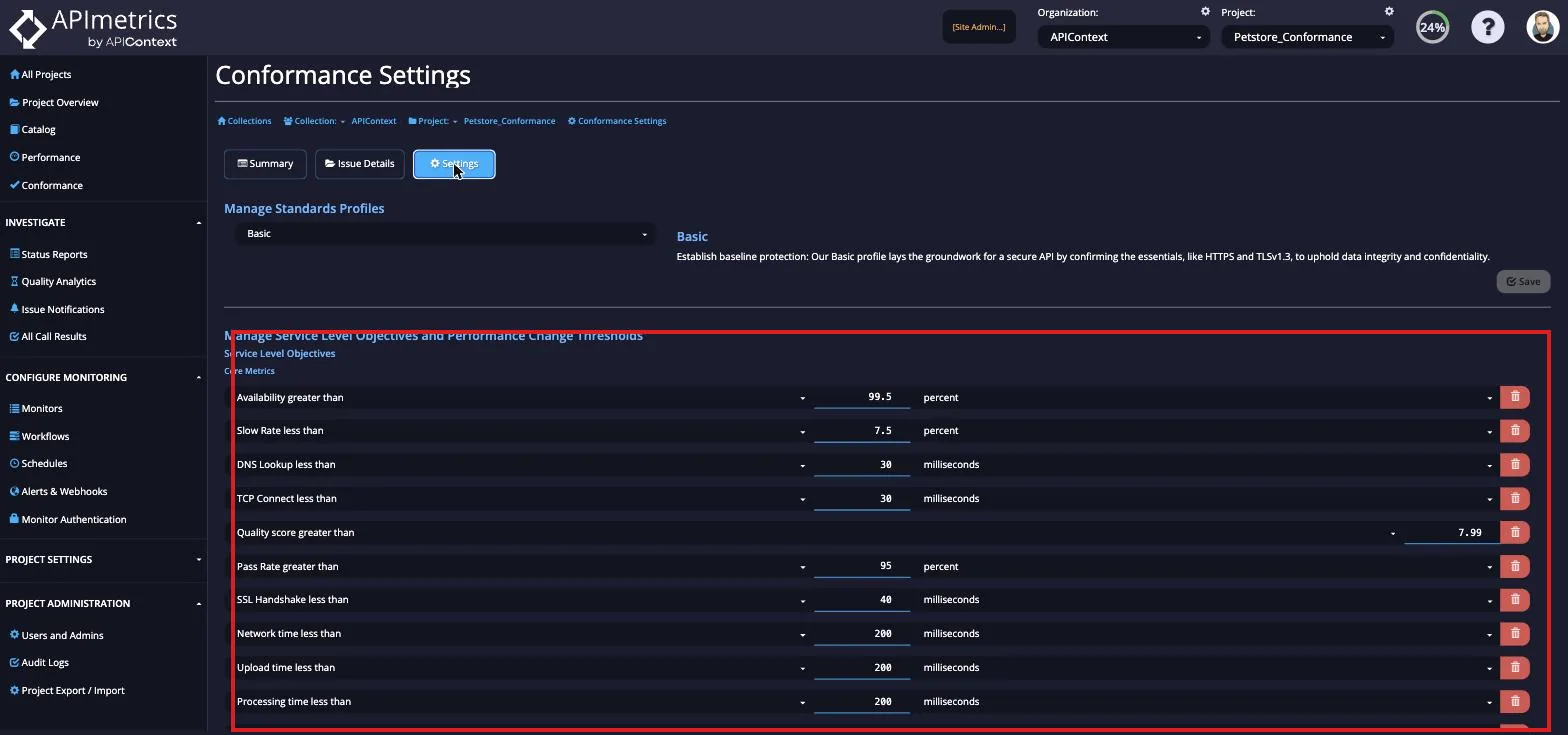
Once you have finished making changes, click the "Update" button in the bottom right to save your changes.
You can also set performance change thresholds, which evaluates changes in various performance components and trigger alerts when those thresholds are exceeded.
Thresholds can be set against the following criteria:
- Change in any latency component (in milliseconds)
- Change in any latency component (as a percent of all monitors run)
- Change in pass/fail ratio (as a percent of all monitors run)
You can find these settings on the Conformance Settings page, below the SLO settings.
For a broader overview of APIContext's SLO/SLA capabilities — including burn-rate alerting, multi-supplier workflow tracing, and regulator-ready evidence — see SLO/SLA Management.