

Workflows Results
Selecting the Results tab brings up a summary of the executions of the Workflow. You can drill down further by clicking on the row you are interested in.
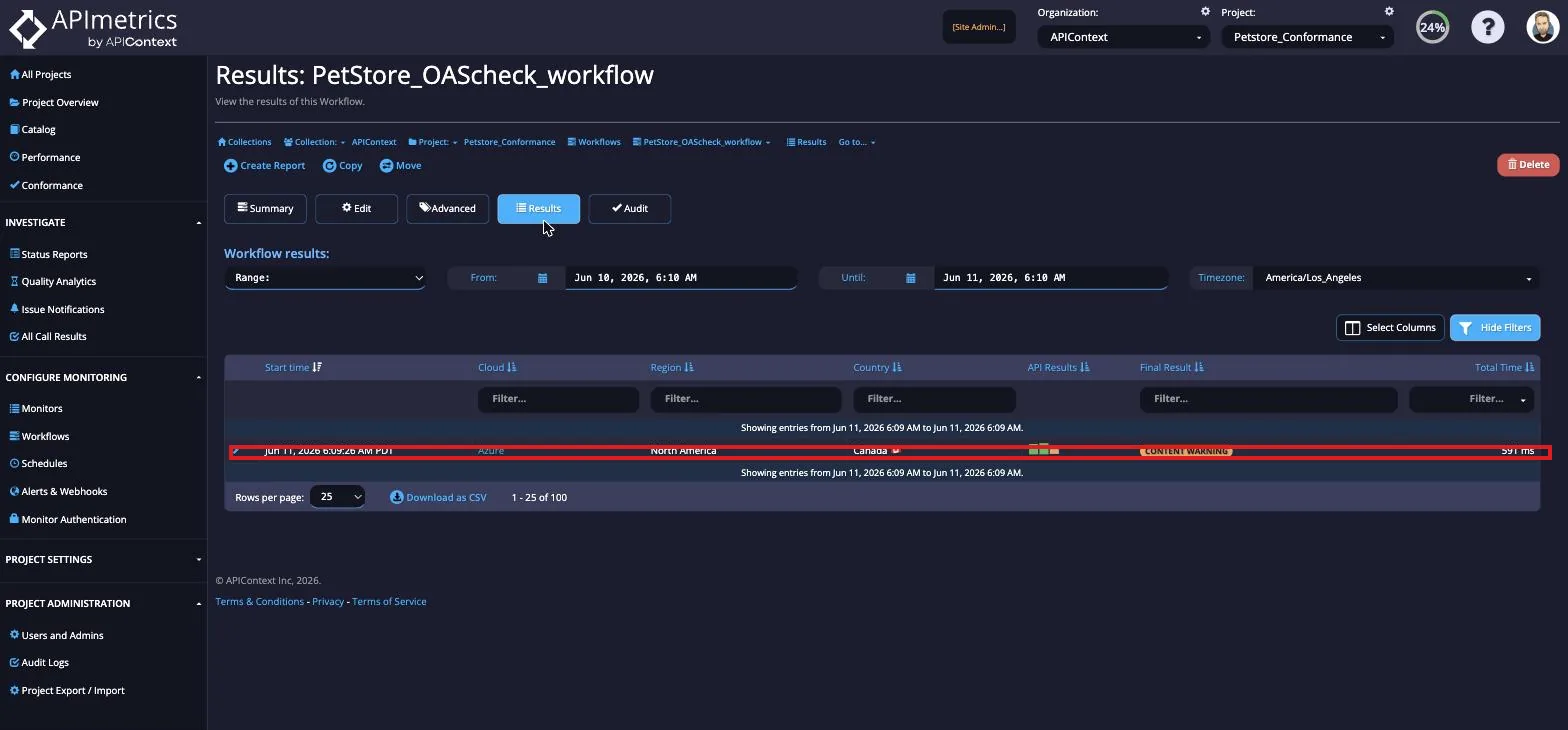
From here you can view more in-depth details on the Results for the Workflow.
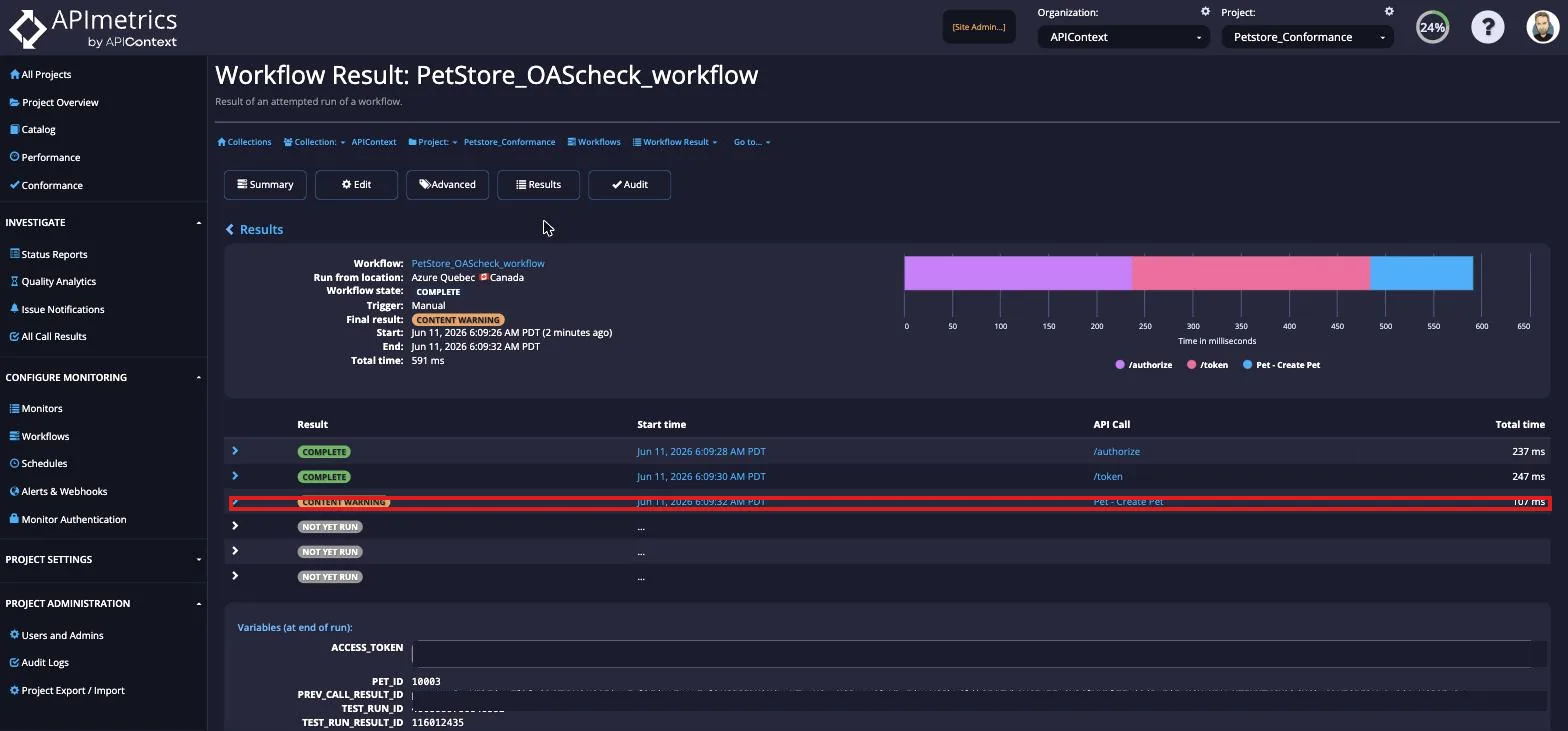
You can also drill down deeper and view the individual monitors from here as well by selecting the row of the monitor you are interested in.
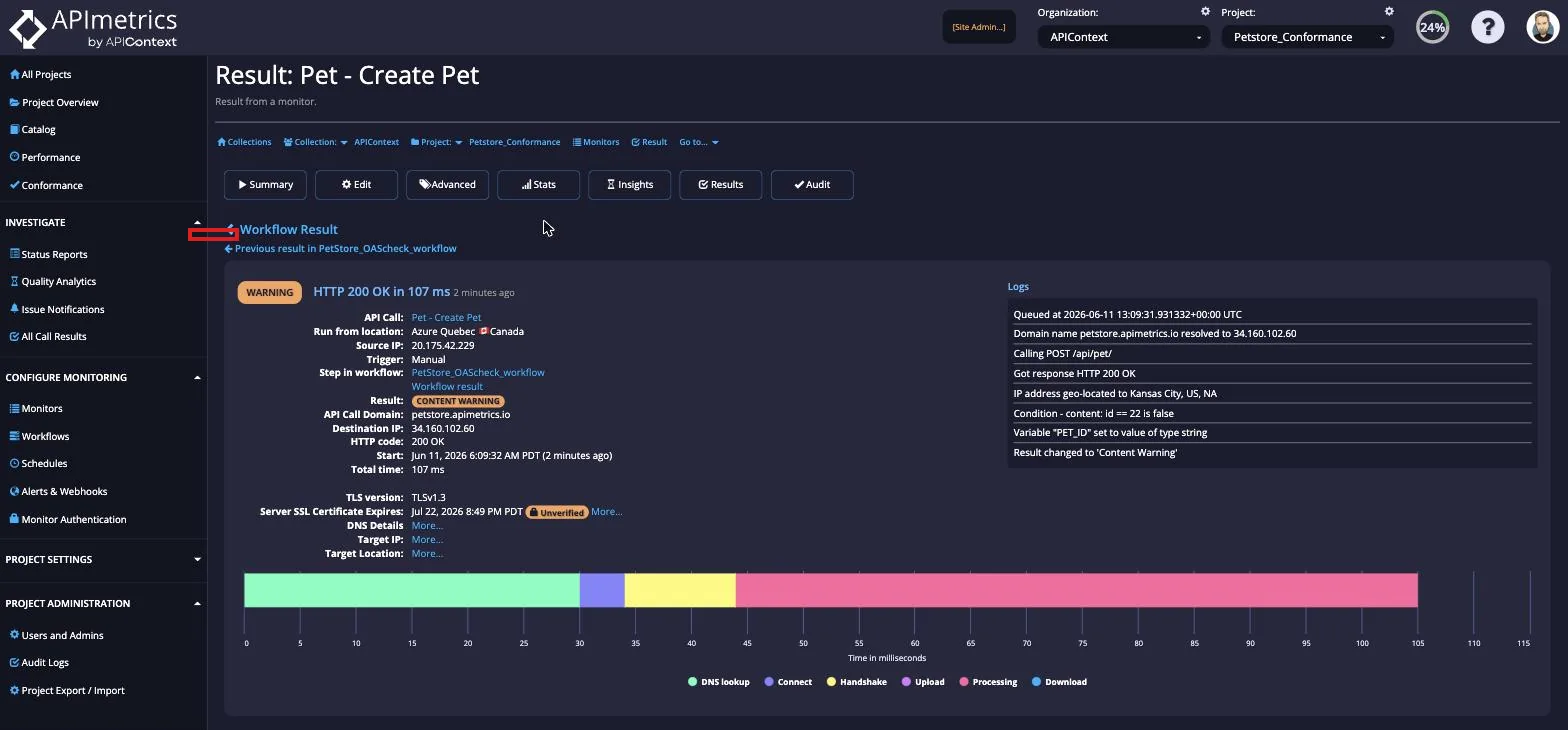
Workflow results include full step-level trace detail that can be exported via OpenTelemetry. Learn more about workflows and traces on the platform site.