

Remove a monitor from the monitored list
Use this guide when you want a monitor to stay out of the Monitors in Schedules table on the Project Overview. The setting is Always in not monitored list, and it applies to one monitor at a time.
Always in not monitored list removes the monitor from that table. It is not the setting for conformance checks. To stop Schema and Security conformance checks on a monitor, use Skip Conformance Checks instead. See Exclude APIs from Conformance checks.
Find the monitor
Go to the sidebar and select Monitors.
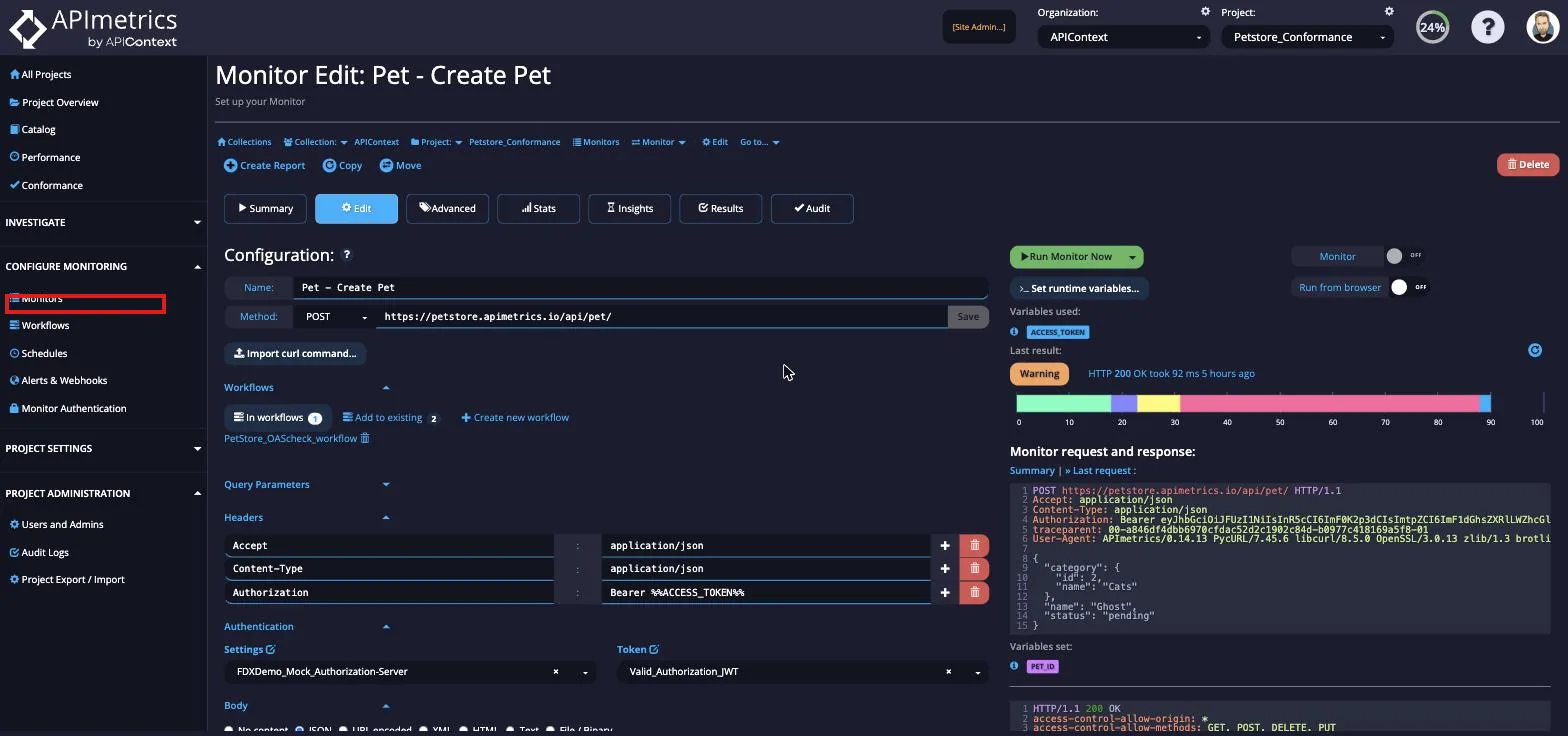
From your list of monitors, select the one you want to remove from the monitored list.
Turn on Always in not monitored list
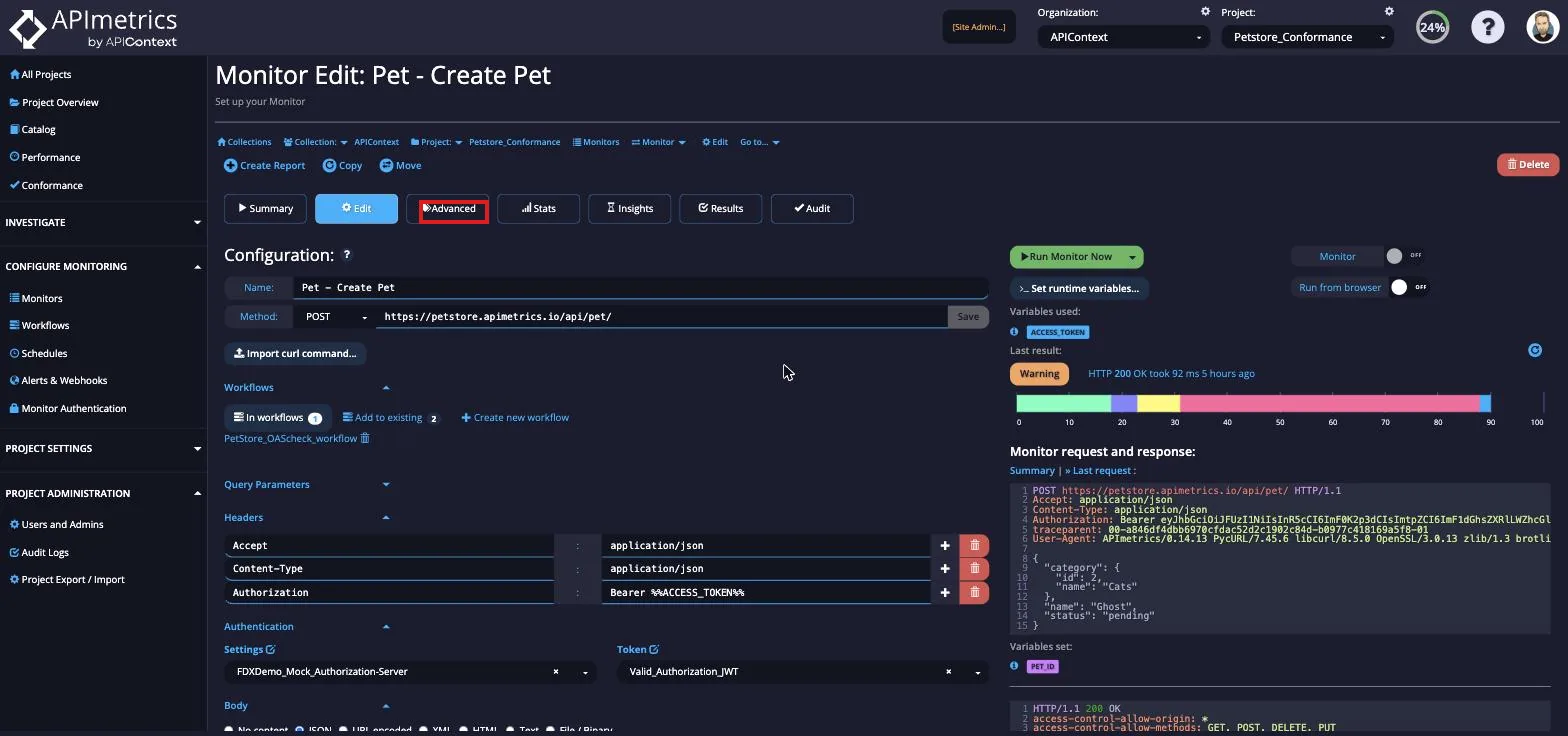
Go to the Advanced tab of the monitor.
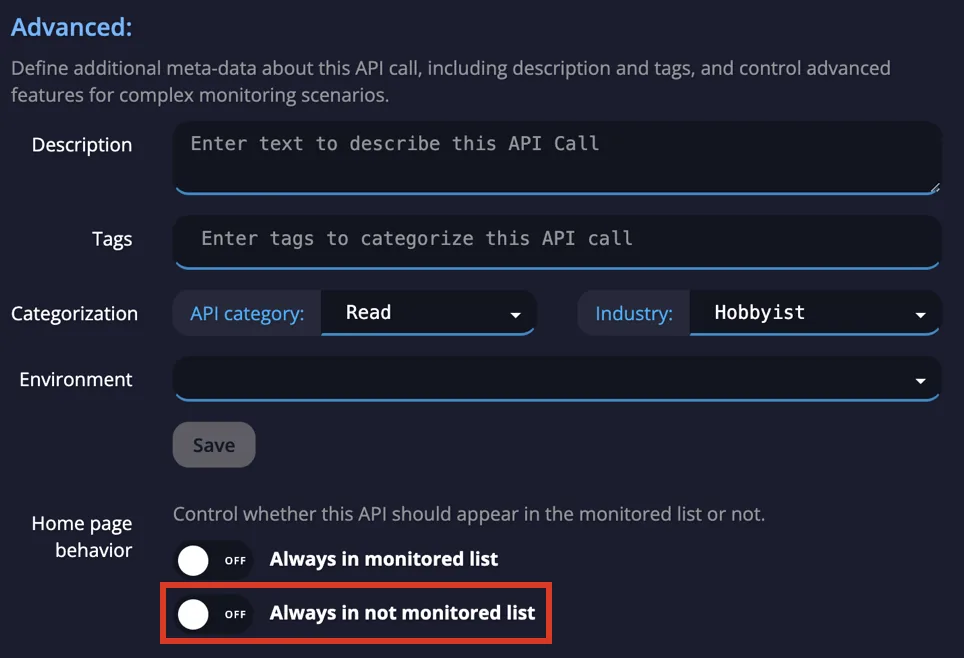
Scroll to the Home page behavior section. The section reads: "Control whether this Monitor should appear in the monitored list or not." It is shown for API monitors. It has two switches:
- Always in monitored list
- Always in not monitored list
Turn on Always in not monitored list, then click Save. Turning on one switch turns the other off.
Result
The monitor no longer appears in the Monitors in Schedules table on the Project Overview. To put the monitor back, turn off Always in not monitored list.
Next steps
- Project Dashboard: what the Project Overview shows.
- CASC Score: what the quality score measures.