

Email alerts
There are three types of Email alerts. The Email option produces email alerts in HTML. This type of email is more readable in a browser or email program. Email (plain text) option produces email alerts in plain text. This type of email can be easier for some kinds of external systems to ingest. The Email (template) option produces plain text email alerts whose subject and body you write yourself, as described in Customize the subject and body.
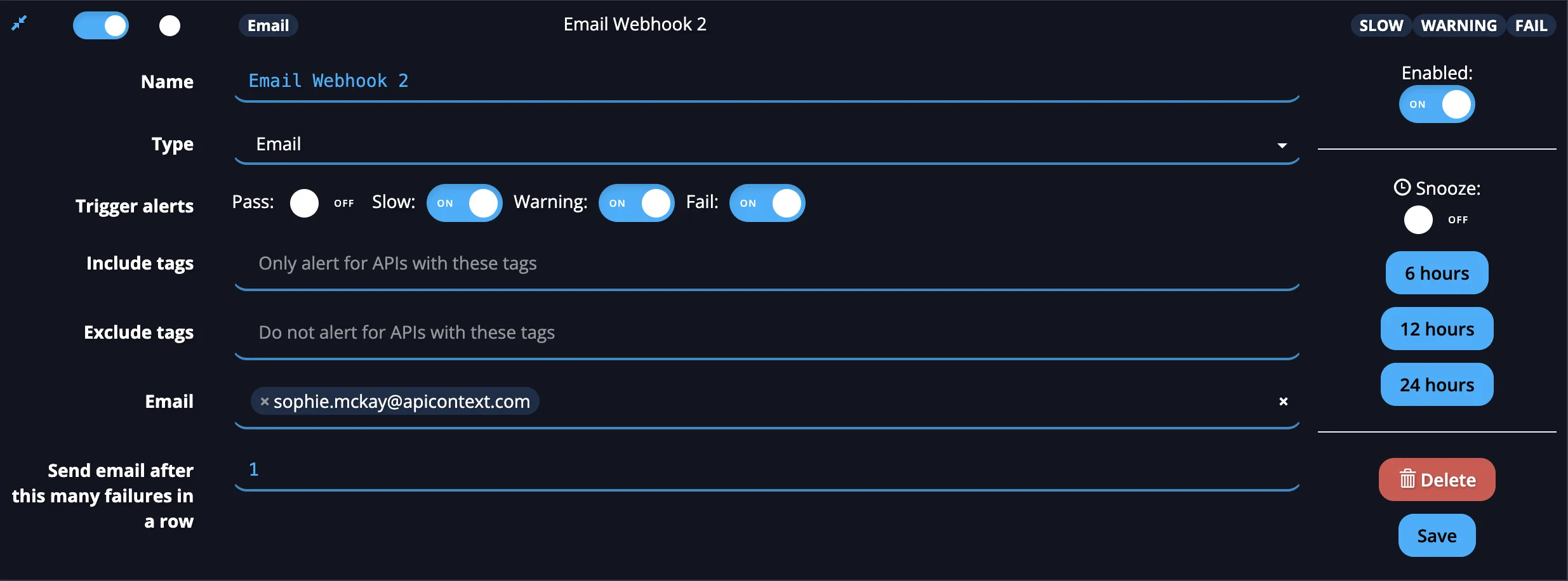
To prevent a potentially excessive number of email alerts from being generated, you can choose the number of failed calls to an API endpoint after which an alert is sent.
Customize the subject and body
Use the Email (template) type when you want to control the text of an alert email, for example to put the Monitor name and HTTP code in the subject line. The subject and body are Jinja templates. APIContext fills them in with the details of the result that triggered the alert.
- Open Alerts & Webhooks and select Add new alert.
- Name the alert and set Type to Email (template).
- In Email, enter the address that should receive the alert.
- In Send email after this many failures in a row, enter how many failures in a row trigger an email. The default is 1.
- Edit Template for subject line and Template for email body. Both are required, and both start with the default text listed in the Email template reference.
- Choose the trigger criteria as for any other alert, then select Save. See Setting alerts.
The email is sent as plain text.
For the variables a template can use and the default subject line and body, see the Email template reference.
If a template has an error, the alert is still sent, but the part that failed to render is replaced with an error message that describes the problem. Check your templates by reading the next alert you receive.