JSON: Extracting a variable
Key Concepts
With an API that returns a JSON body, you can use conditions set in the Assertions section of the monitor's Edit tab to extract results and give them a variable name. You can also set a pass/fail condition that depends on a specific string or result being returned.
Handling Content
Most REST APIs return data in dictionary objects, also known as mappings. They are indicated by { "curly braces". To find a value, use the key name to index into the object.
Use a dot (.) to access attributes of a JSON object. Alternatively, subscript syntax ([]) can be used. The following expressions are equivalent:
foo.bar
foo['bar']
Handling a List
Lists, or Arrays are a sequential order of values or objects. In JSON they are indicated by a [ "square bracket". To find a value, you use the zero-based index of the item in the list.
If the response is a list, you can access the first item with either of these expressions:
my_list[0]
my_list.0
Keys that contain a hyphen
A hyphen (-) in a key name must be written as \x2d in the path. If you type the hyphen itself, the path does not match the key, so the assertion cannot find the value.
For example, given this response body:
{
    "data": {
        "My-Key": "myValue"
    }
}
use this path to read myValue:
data["My\x2dKey"]
The same rule applies when the key sits at the root of the response body, with no parent object. For this body:
{
    "My-Key": "myValue"
}
use this path:
["My\x2dKey"]
Only the hyphen needs this encoding. Write the rest of the key as it appears in the response.
Example: Pick Verify a Specific Word from a JSON body
Let us assume we want to verify that the sixth word returned in a result is 'What' and set a pass condition contingent on it being the word having that value.
The returned JSON looks like this:
{
    "Recognition": {
        "Info": { "metrics": { "audioTime": 7.94000006, "audioBytes": 127092 } },
        "Status": "OK",
        "ResponseId": "f160c005a1b78d2abda5eda4aa935a6f",
        "NBest": [
            {
                "Confidence": 0.39000000000000001,
                "ResultText": "Hello this is a test. What time is it goodbye.",
                "LanguageId": "en-US",
                "Grade": "accept",
                "Hypothesis": "hello this is a test what time is it goodbye",
                "Words": [
                    "Hello",
                    "this",
                    "is",
                    "a",
                    "test.",
                    "What",
                    "time",
                    "is",
                    "it",
                    "goodbye."
                ]
            }
        ]
    }
}
To extract the sixth word, we can use either of these constructions:
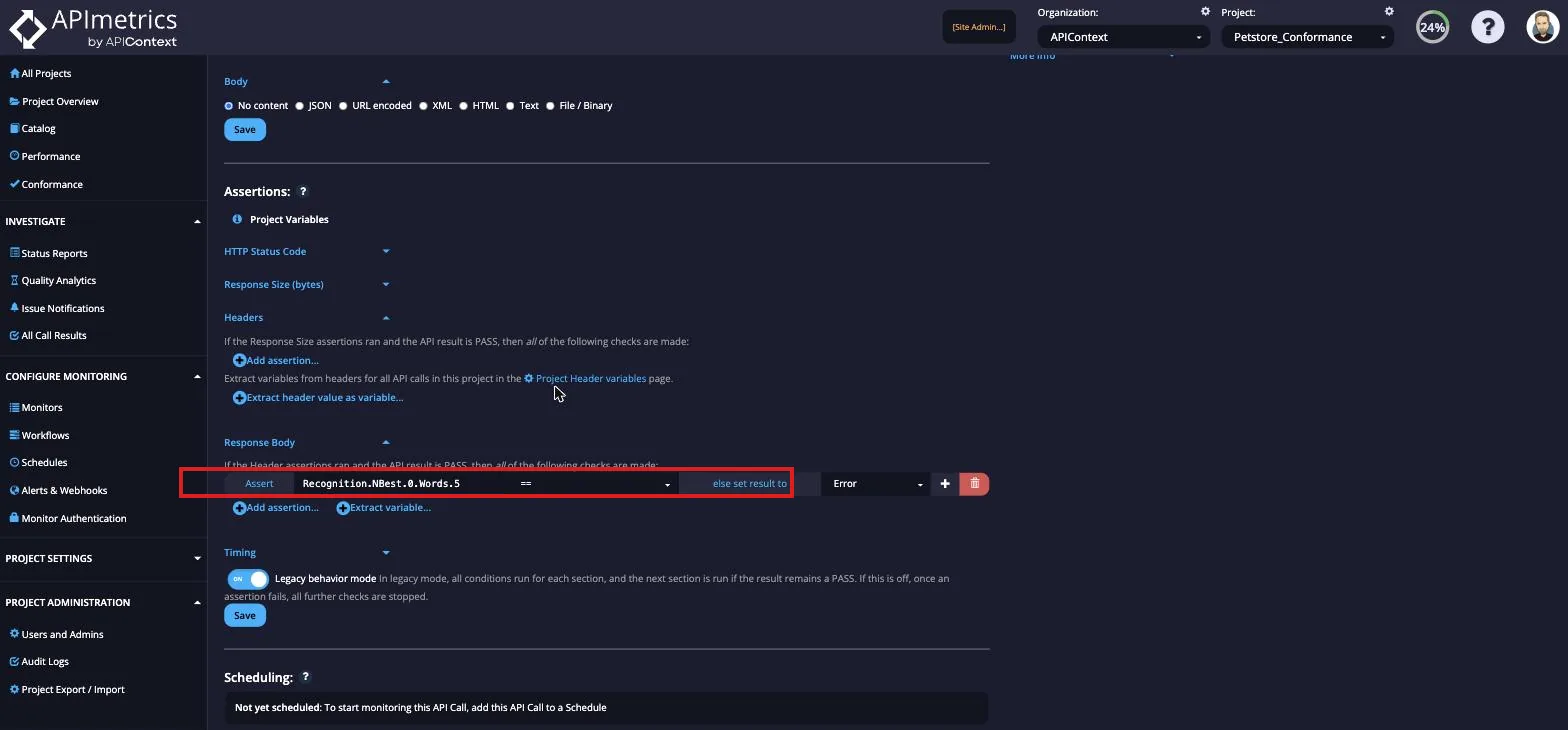
Recognition.NBest.0.Words.5
or
Recognition.NBest[0].Words[5]
In the Assertions section for the Monitor Edit tab, we would enter the following to create the conditional condition: